"Where did that number come from?"
In Vitus you click it, and then see the building parts it was calculated on. That's the difference between a BIM data report and a proof, so it changes what every role on a project can check for themselves: filter on what was required, trace any figure to the objects behind it, and keep a dated record of what you found, from the same browser tab.
Same bad BIM data. Three different bills.
Choose a role below to learn about the benefits of using Vitus, since they depend on where you sit.
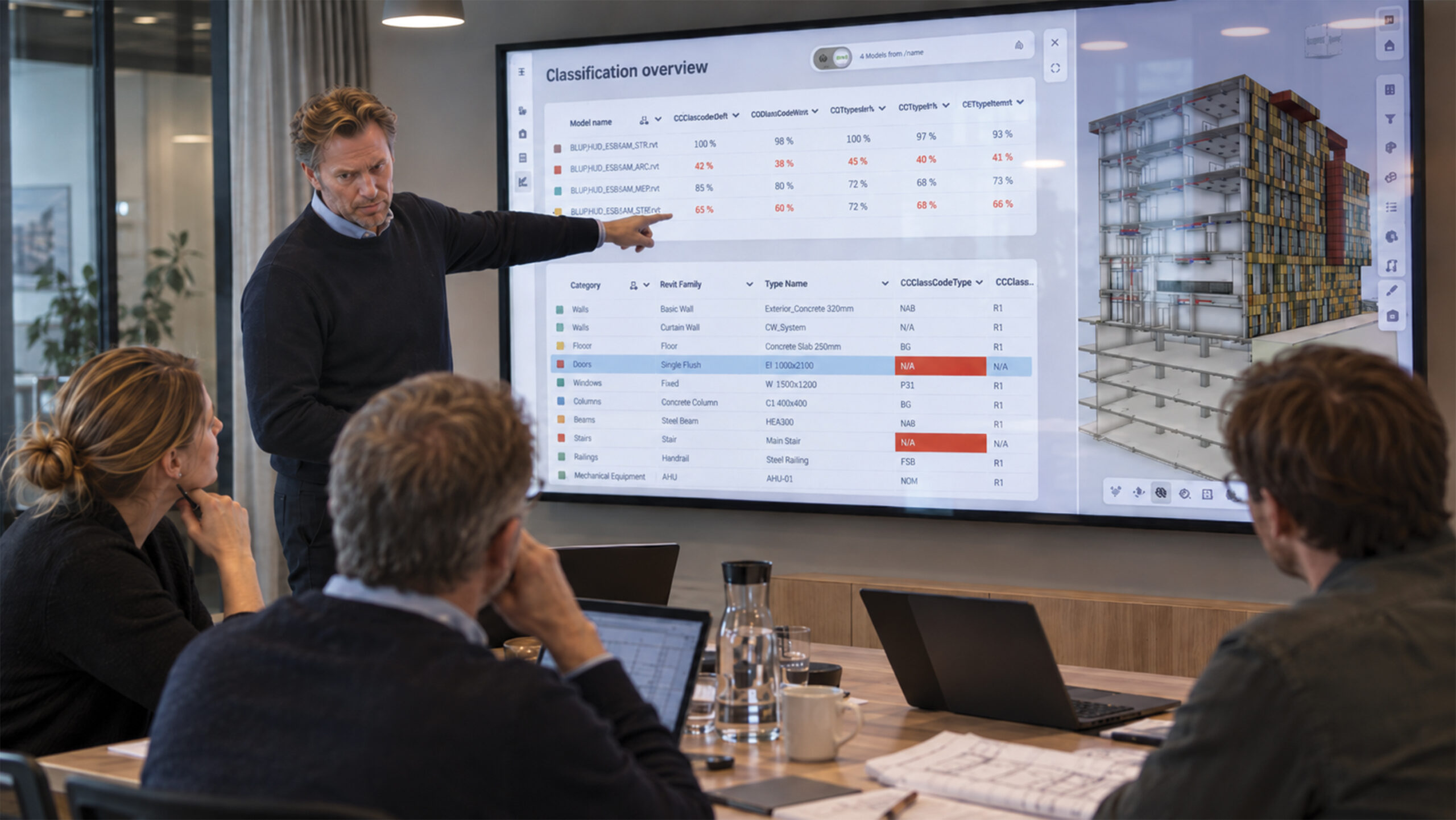
You're checking it at the one moment you have no leverage left
You require BIM data on the building objects to run the building for decades, but the real check lands at handover, once the contractor has been paid. Vitus lets you look for yourself when each model arrives: filter on the properties you asked for, and the objects with nothing on them stand out. Click a quantity and see the building parts behind it, while the payment is still in your hands.
It's in the contract. Is it in the model?
The requirement is written in a language the people carrying the risk don't speak, so it goes unchecked until the end. The real check lands at handover, when the contractor has been paid and your own operations team retypes what's missing into the FM system by hand.
You pay twice for the same information. At the next tender, an extension, a refurbishment, bidders then price the risk in your model straight back to you.
The check that happens after payment protects nobody but the party you already paid.
Check what you were promised, before you pay for it
Click the figure, see what's behind it
Trace any quantity to the exact building parts it was calculated on.
Filter on what you required
Objects missing the property you asked for stand out immediately.
Compare any two deliveries
See what moved: geometry, areas, quantities.
Comments stay with the object
A dated log of who wrote what, and when, instead of a mail thread.
Open it on any device
Everyone opens the model without a licence, so nobody waits on IT.
Built for the people without BIM tools
Your CDE gives everyone the model. Vitus instead gives them the answer, in the project office, on site, and in operations.
When a model lands
When a model lands, filter on what you asked for. Missing BIM data stands out on delivery day, giving your own people back the time they'd otherwise spend retyping it later.
Before you approve
Before you approve, compare this delivery with the last one and see exactly what moved, so you approve on evidence while the payment is still yours to hold.
At the next tender
At the next tender, hand bidders a model they can verify themselves, so their uncertainty stays out of your price, not folded back into it.
Without BIM expertise
Half the objects being empty becomes visible at a glance, so no BIM expertise is required.
What changes with Vitus
| The task | Before using Vitus | With Vitus |
|---|---|---|
| Checking a delivery | At handover, when the money has gone | On the model as delivered, in an afternoon |
| Where a number came from | You ask the consultant for an extract | Click the figure and see the objects behind it |
| Data for operations | Retyped into the FM system by hand | Already on the objects, and checked before you signed |
| Access for your own team | A licence, or a specialist to ask | A link: project managers, operations, advisers |
| The next tender | Bidders price the risk in your model | Bidders verify the model themselves |
Questions owners and developers ask us
How does Vitus help me check a delivery before I approve payment?
Filter the model on the properties you required, and any object missing that BIM data stands out immediately, while the invoice is still in your hands and there's something left to hold back.
Do owner organisations need to install software to use Vitus?
No. Vitus runs entirely in the browser, so your team, your consultants, and your contractors can all open the same shared model without installing anything or holding a software licence.
How does Vitus help track scope and quantity changes?
It also compares model versions automatically and surfaces what changed: quantities, areas, and geometry, so deviations from the agreed specification are visible as soon as a new delivery lands.
Can different stakeholders have different access levels?
Yes. Vitus supports role-based access, so your internal team, external consultants, and contractors each see only the BIM data relevant to their role, while you retain full oversight.
How is Vitus different from the CDE we already use?
Your CDE gives everyone the model. Vitus gives them the answer: people look at what's inside it, visually, in 3D, and check it against what was required themselves, on their own eyes rather than someone else's written summary.
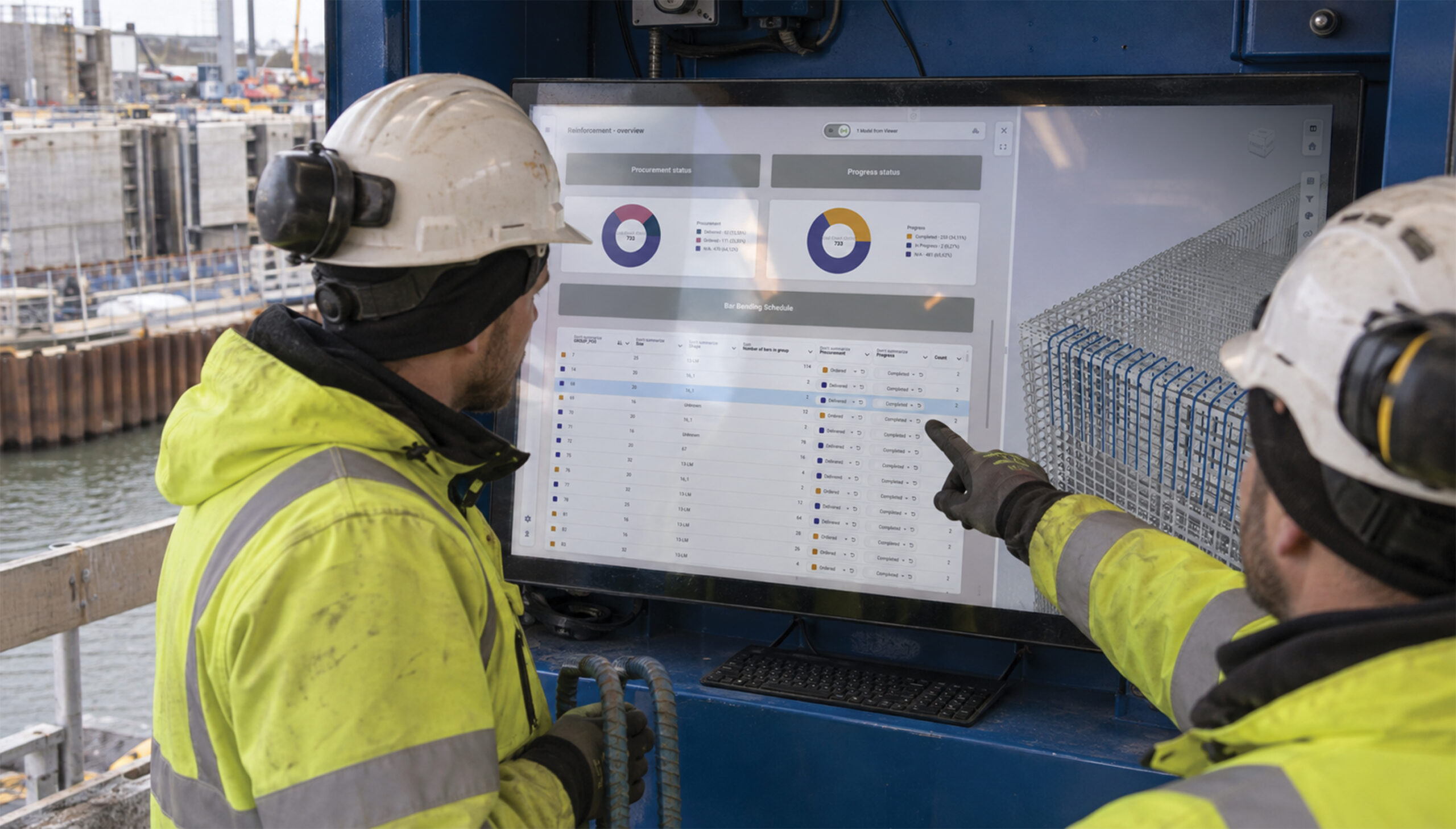
You price models you didn't build, and you own every error in them
The models arrive from your consultants, sometimes incomplete, sometimes wrong, and you price on them anyway because the tender date doesn't move. Vitus shows you what you were actually handed before your number is on it: open any model in a browser, pull the quantities, and click a figure to see which building parts it was calculated on.
The error isn't yours. The bill is.
You put money on a model you didn't build. From that moment its mistakes are yours: priced in, built in, and argued about later, through the discussion, the claim, and occasionally the arbitration.
Your subcontractors price their own uncertainty back into your number. At the other end, the owner delays the handover, and the cost lands on you, often for BIM data you were never given in the first place.
Catching a deviation on screen costs an afternoon. Catching it on site costs the schedule.
Know what you were handed, before your number is on it
Trace a quantity before you price it
Every figure comes straight from the model, so you can trace it back to the objects behind it.
Compare any two versions
A delivery against the contracted model, or last week against this week.
Filter on what matters
Objects missing the property you need stand out immediately.
Comments stay with the object
A dated log of who wrote what, and when, instead of a mail thread.
Put it in front of the whole crew
Estimators, site managers and subcontractors open it without a licence.
Built for on- and off-site
Your CDE gives everyone the model. Vitus instead gives them the answer, in the site office, and on a tablet in the field.
Before you order
Before you order, pull the quantities yourself and trace the figure back to the objects behind it, so you order against a number you can defend.
During execution
During execution, compare last week's model with this week's and plan against what's true today, instead of what was true when the tender closed.
When something's disputed
When something's disputed, open the Saved View on a tablet at the site meeting and settle it in the room, on the spot.
Every comment, on the object
Every comment sits on the object it belongs to, dated and attributed, so nothing gets lost in a mail thread.
Before the client meeting
See what your client is going to see before the meeting, giving you the room to prepare an answer instead of reacting to a surprise.
What changes with Vitus
| The task | Before using Vitus | With Vitus |
|---|---|---|
| Data QA | After the model is closed, if there's time | Alongside the model, while it's cheap to change |
| Where a number came from | You rebuild the takeoff to find out | Click the figure and see the objects behind it |
| What changed since you issued | Two models open side by side, judged by eye | Compare versions and see what moved, quantities included |
| Showing a client | A licence, or an exported set of images | A link they open in a browser |
| A dispute over your delivery | Recollection and email threads | The object, the version and the date, on record |
Questions contractors ask us
How does Vitus help before I order materials?
Pull the quantities yourself and click through to the objects behind them, so you order against a number you can defend, not one you inherited from someone else's model.
Can site teams use Vitus on a tablet or phone without installing anything?
Yes. Vitus is optimised for site connectivity and mobile access, so it works as a BIM kiosk on site or on a personal device, straight from the browser.
How does Vitus help reduce rework and material waste?
By giving every discipline and subcontractor access to the same current model and progress dashboards, discrepancies between what's built and what's designed surface earlier, before they turn into costly rework or wasted material.
How do Saved Views help coordinate subcontractors?
A Saved View captures a specific angle, filter, or stage of the model that a subcontractor needs, so instead of re-explaining scope verbally, you share a link straight to the relevant view.
Is Vitus a replacement for our CDE?
Vitus works alongside your existing CDE. It's the layer where people actually look at, compare, and discuss what's stored there, visually, in 3D, from the office or the site.
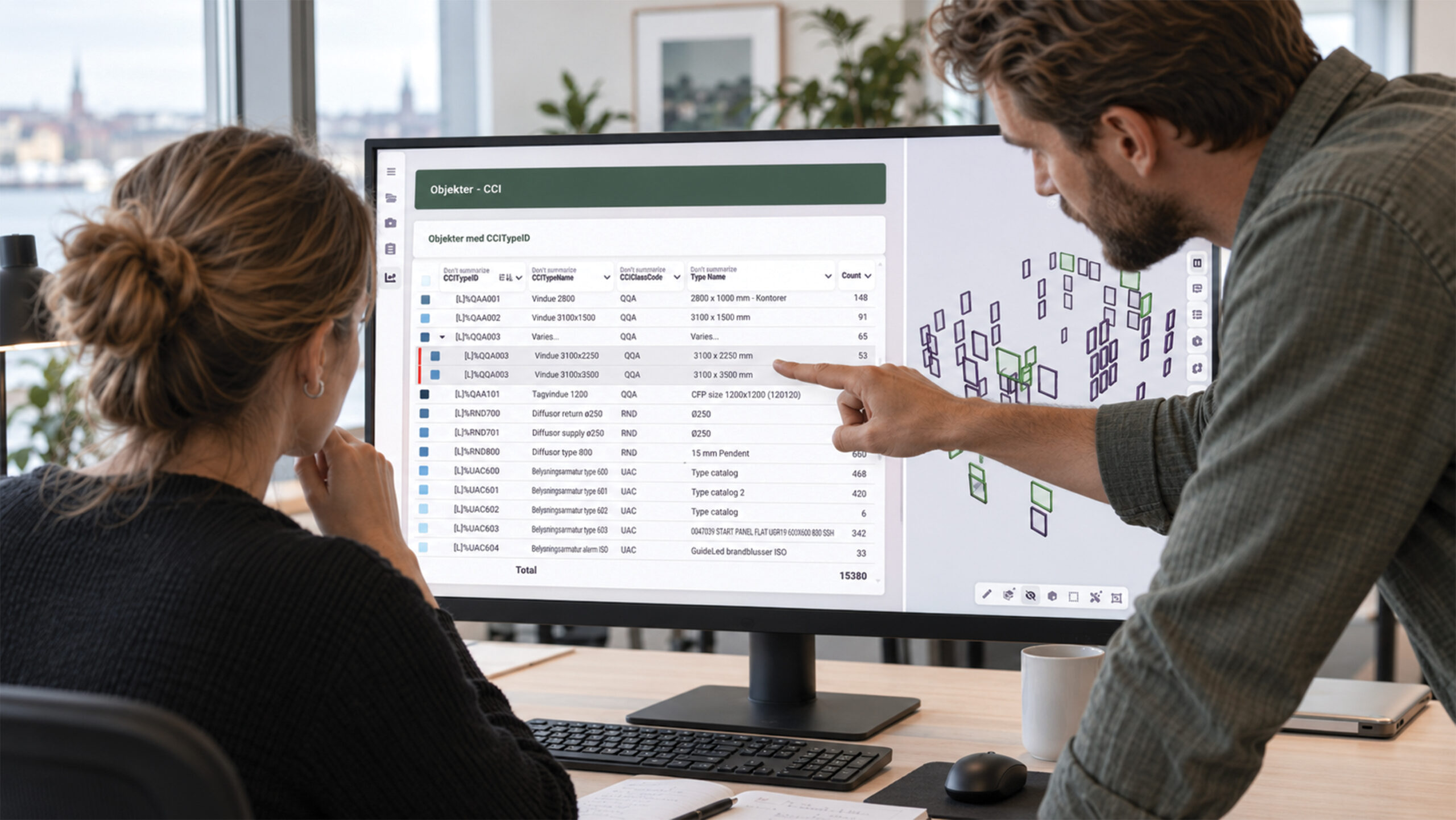
Geometry gets the deadline. Data gets whatever's left.
Most practices have no real structure for implementing and QA-ing BIM data, so it goes on late, unevenly, sometimes wrong, and nobody finds out until someone downstream tries to use it. Vitus lets you check your own BIM data before anyone else does: filter on the properties the brief asked for, and the objects with nothing on them stand out. Click a property and see the building parts behind it.
Prove it. Don't defend it.
Your model gets questioned downstream, by a contractor pricing it, by a client approving it, occasionally by a lawyer, and the party with a record wins that conversation.
Geometry comes first, because geometry is what gets reviewed. When the gap in the BIM data surfaces, it becomes re-design: hours you can't bill, on a model you'd already closed.
A dated record settles in one click what an argument settles in a meeting.
Show your work, and the record behind it
Trace every figure
Every quantity comes straight from the model, back to the objects behind it.
Filter on what the brief asked for
Objects missing the property stand out while the model is still open.
Compare what you issued
See exactly what came back, and what changed, quantities included.
Comments stay with the object
A dated log of who wrote what, and when, instead of a mail thread.
Share a link, not a licence
Clients open the model straight in their browser.
Built for showing your work
Your CDE gives everyone the model. Vitus gives them the answer, and gives you the record behind it.
Before you issue
Before you issue, filter on the brief's requirements while the model is still cheap to change, so gaps close before they cost you a redesign.
During review
During review, compare what you issued with what came back and see exactly what moved, at a glance instead of hunting between two open models.
When it's questioned
When it's questioned, click the quantity, show the objects, show the version and the date, and the conversation ends there.
A year later
A dated record of what you handed over means a dispute a year later gets settled on evidence, not on memory.
What changes with Vitus
| The task | Before using Vitus | With Vitus |
|---|---|---|
| Data QA | After the model is closed, if there's time | Alongside the model, while it's cheap to change |
| Where a number came from | You rebuild the takeoff to find out | Click the figure and see the objects behind it |
| What changed since you issued | Two models open side by side, judged by eye | Compare versions and see what moved, quantities included |
| Showing a client | A licence, or an exported set of images | A link they open in a browser |
| A dispute over your delivery | Recollection and email threads | The object, the version and the date, on record |
Questions consultants and architects ask us
Does Vitus integrate with Revit and Navisworks?
Yes. Vitus works with the tools architects already use, including Revit, Navisworks, and native IFC models, so you don't have to change your design workflow to get a shared, visual environment.
Can I share a 3D model with a client without them installing software?
Yes. Vitus runs entirely in the browser, so anyone you share a link with (client, engineer, or contractor) can open the model immediately, with no plugin or licence required.
How does Vitus create a record if a delivery is disputed later?
Every comment and version sits on the object itself with a timestamp, so if a delivery is questioned a year later, the answer already exists instead of relying on memory or an email thread.
Can advisors use Vitus without being given full editing access to a project?
Yes. Role-based access means you can be given exactly the visibility your mandate requires (reviewing and annotating, for example) without full editing rights over the underlying project model.
Is Vitus suitable for BIM/VDC advisory and engineering work, as well as general construction consultancy?
Yes. Vitus supports 30+ file formats including IFC, RVT, DWG and NWD, so BIM/VDC advisors and engineering teams can review model quality and coordination directly, alongside consultants focused on programme, cost, or compliance.
What every role gets, no matter the login
Underneath the three workflows above sits one shared engine: the things that make Vitus different from a conventional CDE, whoever is using it.
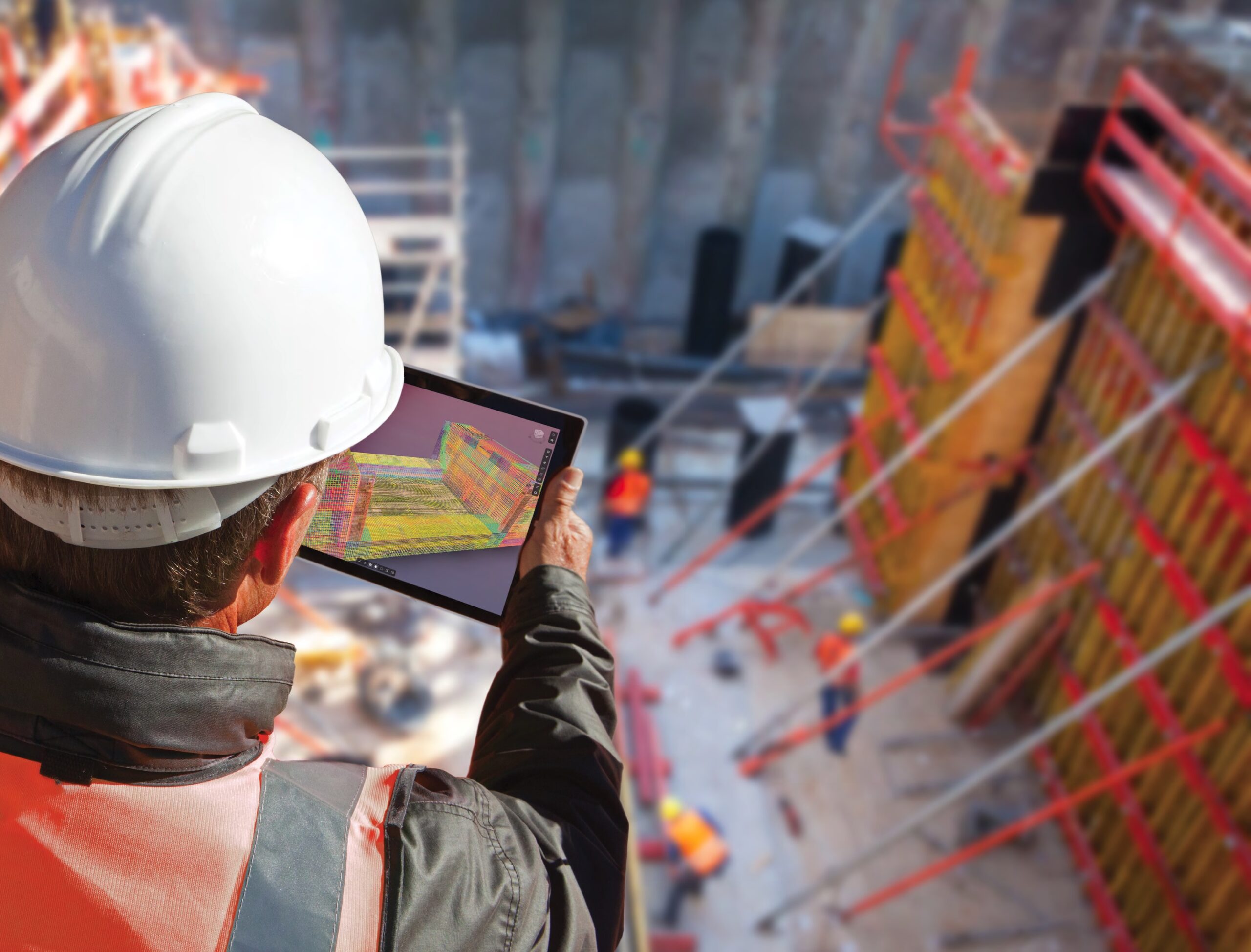
Runs entirely in the browser
No installs. No plugins. And no BIM expertise required. Open a link and you're in the model.
30+ file formats, one viewer
IFC, RVT, DWG, NWD, PDF and more, all opened side by side without conversion headaches. See all supported formats
Every figure traces back
Click a quantity or a filter result and see exactly which objects it was calculated on.
A dated log behind every finding
Comments, comparisons and Saved Views keep a record of who found what, and when.